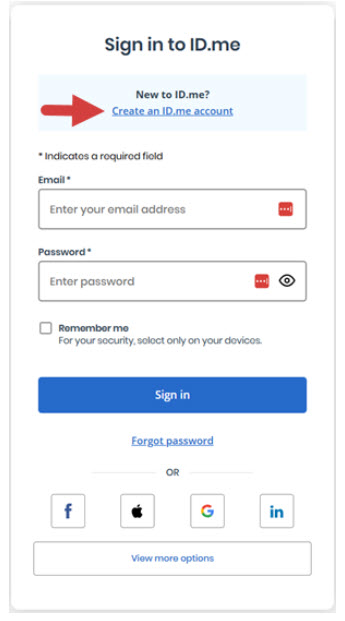
If you do not already have an account with ID.me, you will be promoted to create a new ID.me account before you can verify your identity for EPCS registration.
Once your account is created, you can Verify your Identity with ID.me for EPCS Registration.
If you encounter any issues with setting up or connecting your ID.me account, please reach out to ID.me directly for troubleshooting assistance.
Sign in or Create an Account with ID.me
1. Click the Create an ID.me Account link.
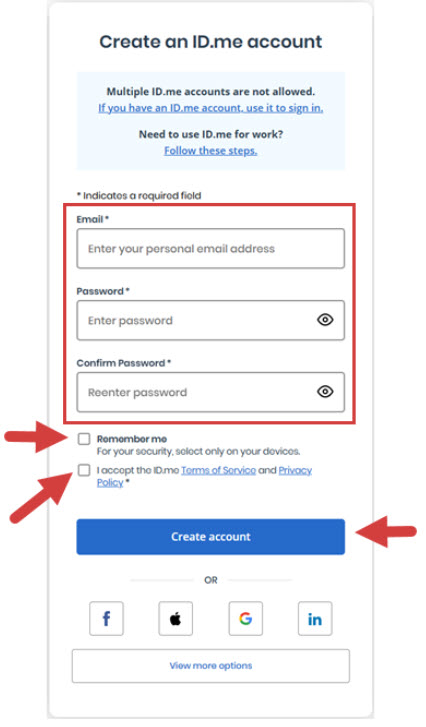
2. Enter your Email in the Email field.
3. Enter a Password in the Password and Confirm Password fields.
4. Optional: Click the Remember Me checkbox if you are using your own device.
5. Click the I Accept the ID.me Terms of Service and Privacy Policy checkbox.
6. Click the Create Account button. An email will be sent to the email address you entered in the Email field.
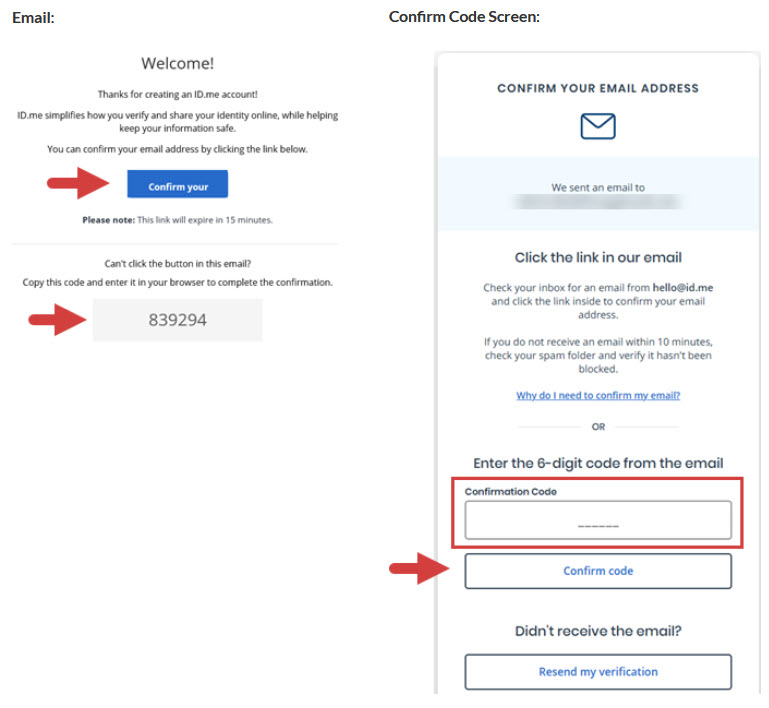
7. Click the link in the email you received, or enter the 6-digit code from the email in the Confirmation Code field, then click the Confirm Code button.
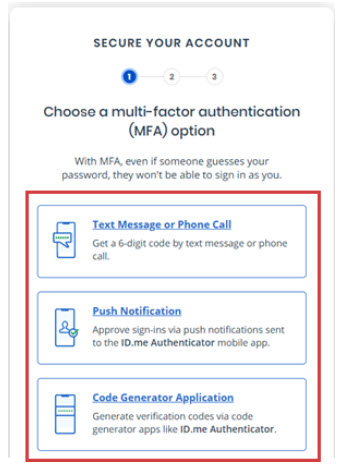
8. Choose a multi-factor authentication (MFA) option, then follow the prompts to authenticate until you reach the screen that says “Your Account is Now Secure”:
- Text Message or Phone Call
- Push Notification
- Code Generator Application
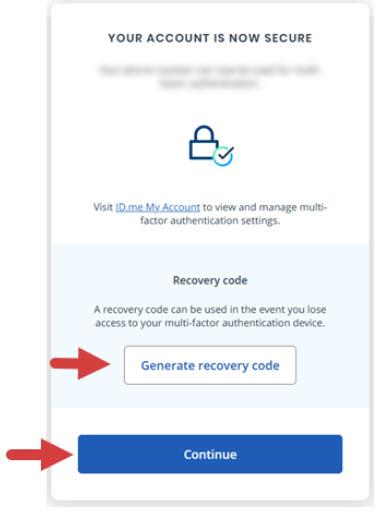
9. Optional: Click the Generate Recovery Code button. You can use this backup code to log in in case you change phones or lose access to your MFA device.
10. Click the Continue button.